
Introduction
Olive is a diet app that will make users stay organized and structured
when starting a dietary plan therefore helping them on their journey.
Problem Statement
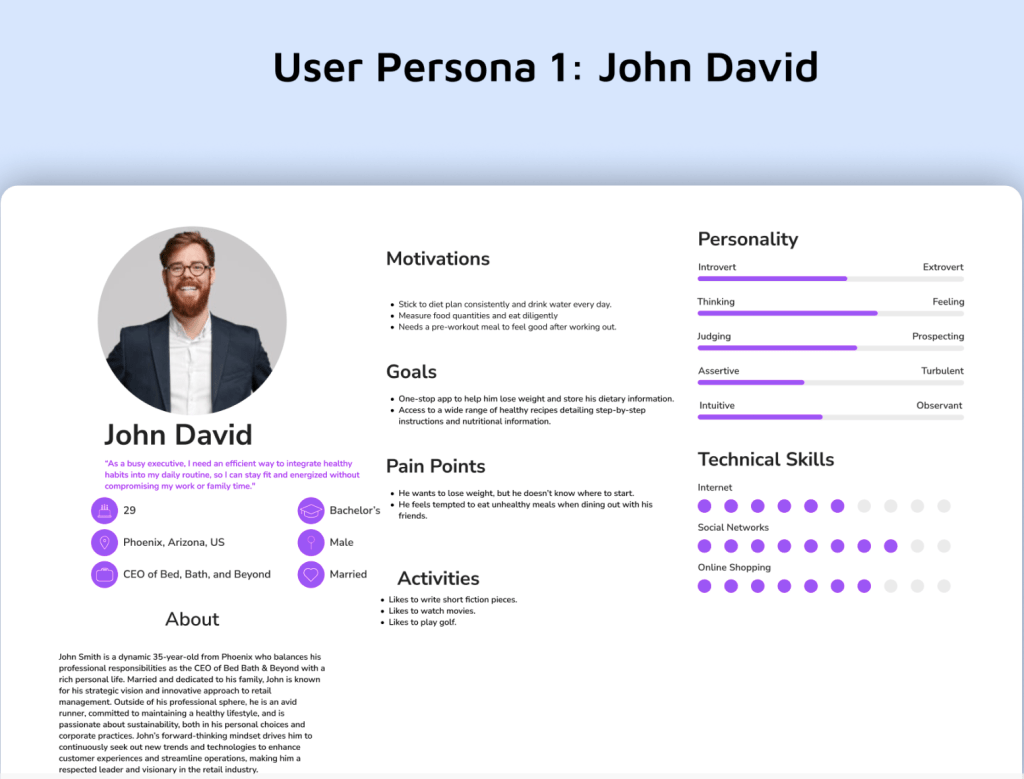
David, a busy professional, needs a way to efficiently lose weight at the gym because he has limited time to dedicate to long workouts due to his demanding job and personal commitments. We will know this to be true when we see David consistently attending shorter, high-intensity gym sessions and achieving measurable weight loss and fitness goals within his limited time frame.
Target Audience
The primary target audience for this project is young adults aged 18-35.
User Flows
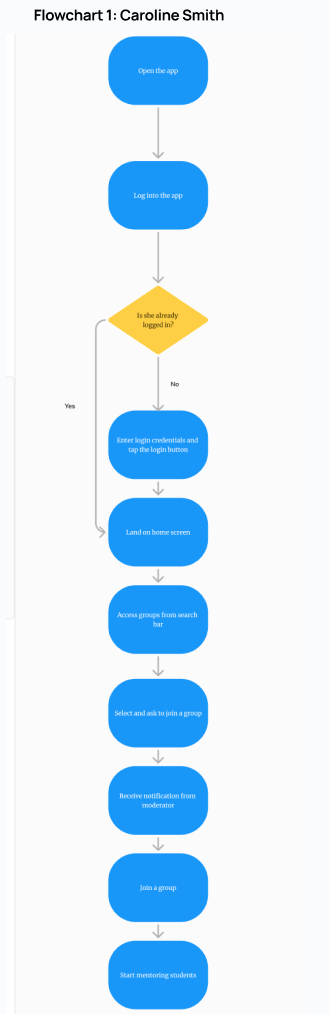
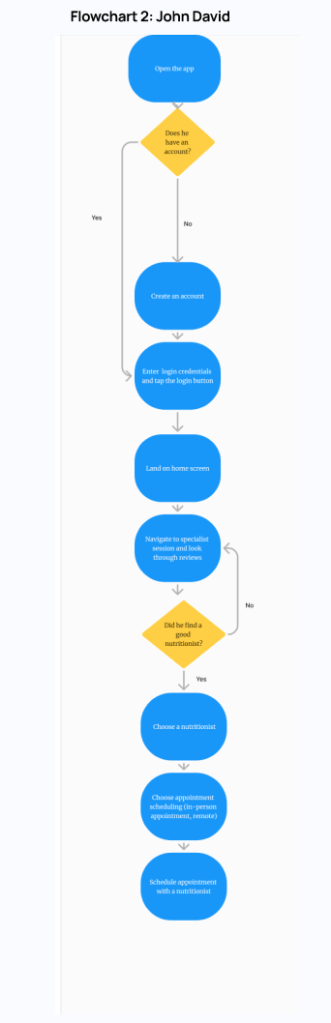
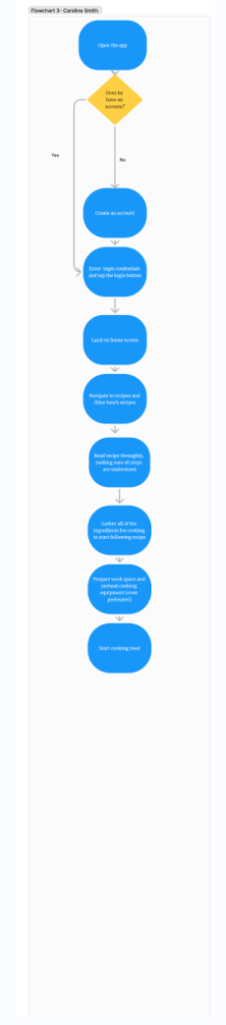
Flowchart 3 Caroline Smith
User Research
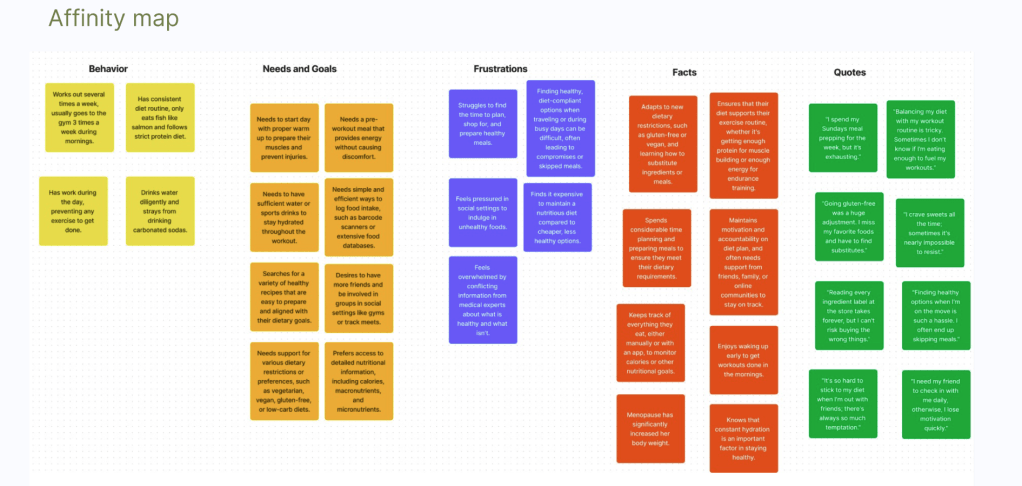
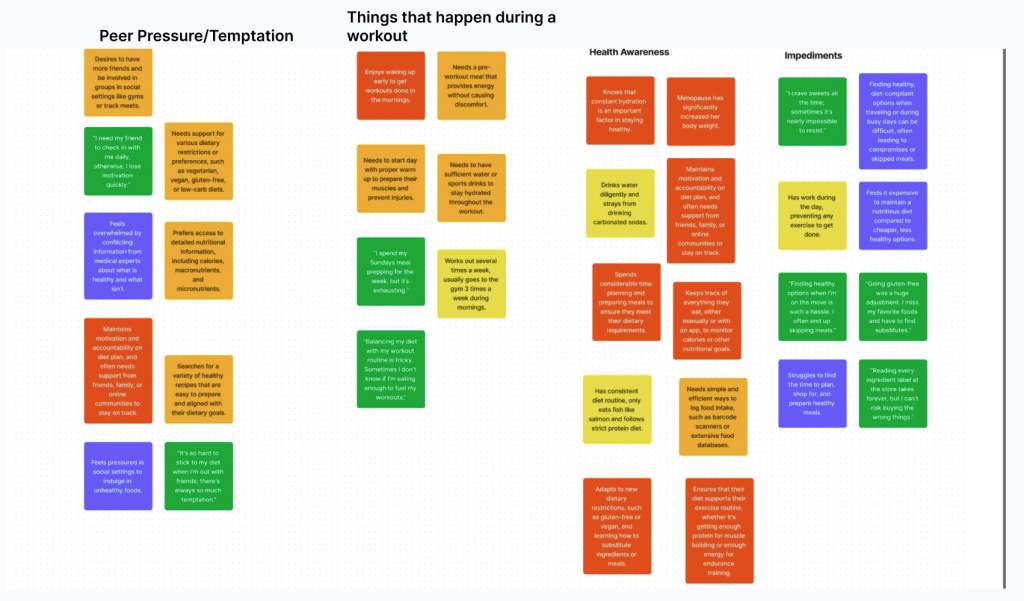
Familiarizing myself with an audience gives me a general sense of who they are, but user research dives deeper into the specific pain points, behaviors, and motivations that directly impact how they interact with my app. It uncovers details I might not have initially considered.
Competitive Analysis
Competitor Profile – Overview: MyFitnessPal MyFitnessPal is a popular health and fitness app that helps users track their diet and exercise to achieve their fitness goals.
Marketing advantage
Users can log their food intake and track calories, macronutrients (carbohydrates, proteins, and fats), and micronutrients (vitamins and minerals). MyFitnessPal boasts one of the largest food databases, with over 11 million foods, including restaurant and brand-specific items. This extensive database makes it easier for users to find and log their meals accurately. The app includes a barcode scanner feature that allows users to quickly log packaged foods by scanning their barcodes. This simplifies the process of entering food data and ensures accuracy. MyFitnessPal’s users are generally motivated to improve or maintain their health and fitness levels. This can include goals such as weight loss, muscle gain, or overall wellness.
The gist:
Has an extensive food database ranging from restaurant meals to brand-specific items
Logging and tracking food consumption, calories, and exercise routines
Lets users input fitness goals that can help with tracking their overall health
Key Objectives
According to their app, this “all in one food tracker and health app is like having a nutrition coach, meal planner and food diary with you at all times”. If the user puts effort from their side and follows the app instructions rigorously, then a healthy lifestyle can be achieved.
The gist:
The all in one food tracker is multifunctional containing a variety of features
If the user puts effort from their side, then a healthy lifestyle is assured
Holds a food diary which users have lifelong access to
Marketing profile
The primary target demographic tends to be adults in the 18-45 age range. This group is often more focused on managing their weight, fitness, and overall health. More specifically, they also like targeting gym-goers, runners, athletes, and those who are generally active. Users can also connect with other fitness tracking devices and apps to sync their exercise data
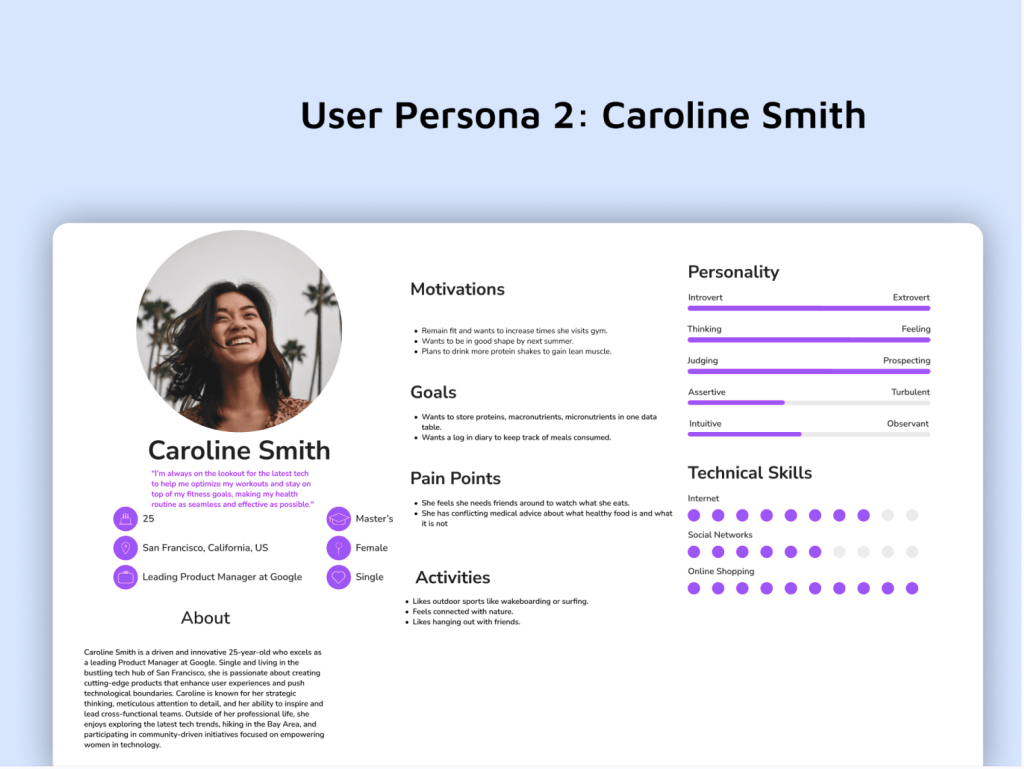


Research Methodology: User Stories
As a user, I want to sign-up and log-in quickly without any major obstacles so that I can begin using the app.
As a user, I want a health and diet table that has two-coded encryption so that I can have access to view it.
As a user, I want to access educational articles and videos on health and weight loss topics so that I can improve my knowledge and make informed decisions about my health.
As a user, I want to connect with health and wellness experts through the app so that I can receive personalized advice and guidance on my health journey.
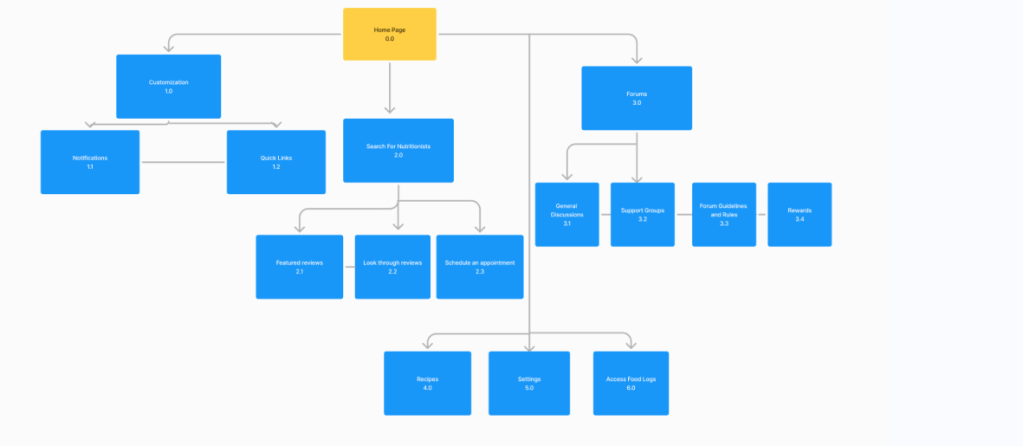
Sitemap
Low-Fidelity Prototypes
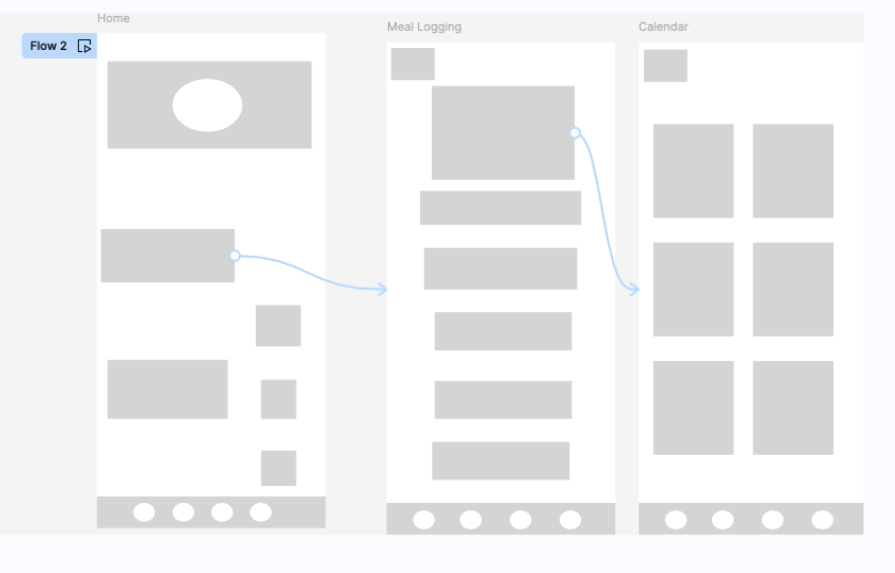
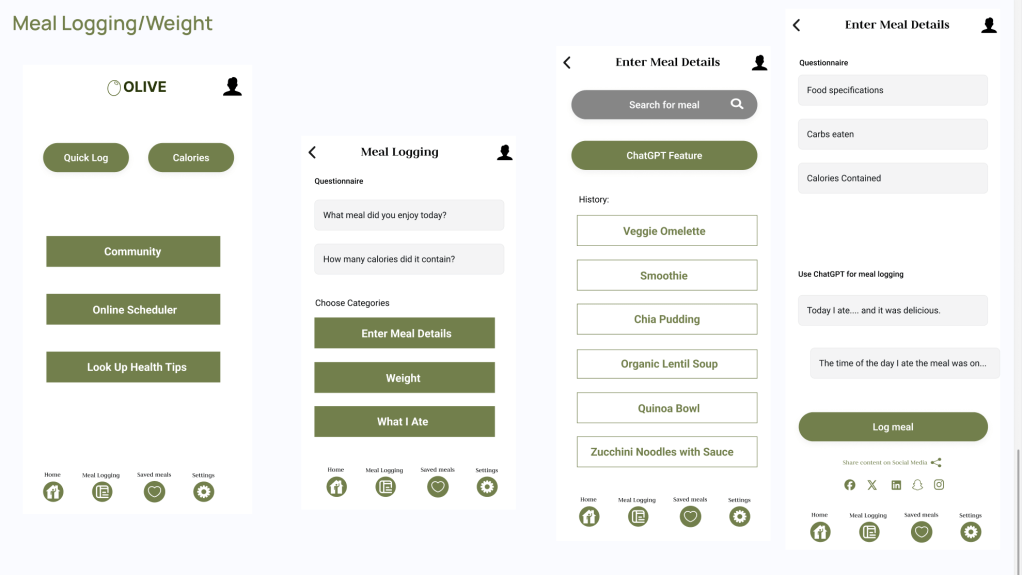
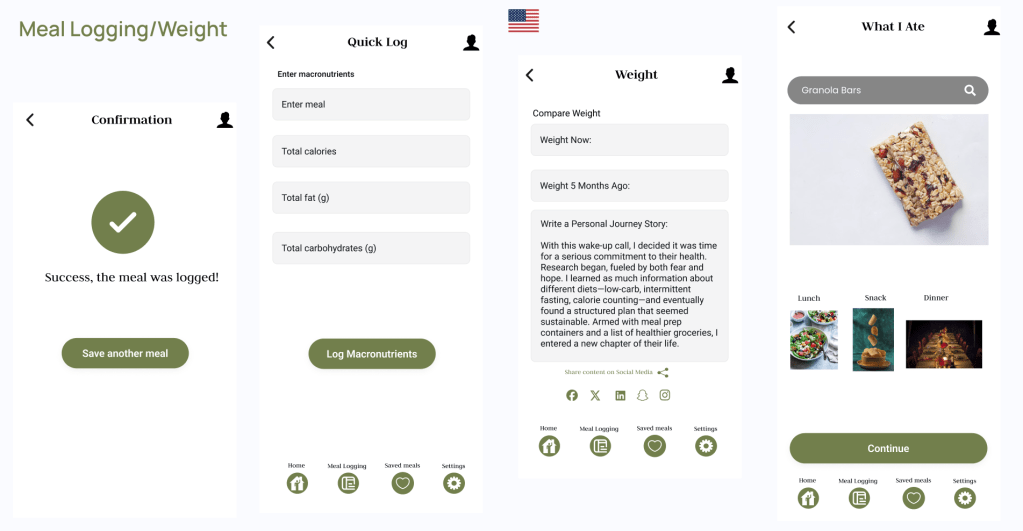
From the home page, users can click on the meal logging tab, and then situate themselves where a calendar wil be viewable. The meal logging page wil have the option to choose between breakfast, lunch, dinner, or dessert. The calendar page will serve as a place to save all of the information and look back to it after they choose a day to save their meal to.
From the home page, users can click on the protein tracker in the main display. From there, users can click on the search bar tool. From there, users can type what they need to look for in terms of calories and proteins and then reach the results page, which will tell them exactly how many proteins users consumed per day.

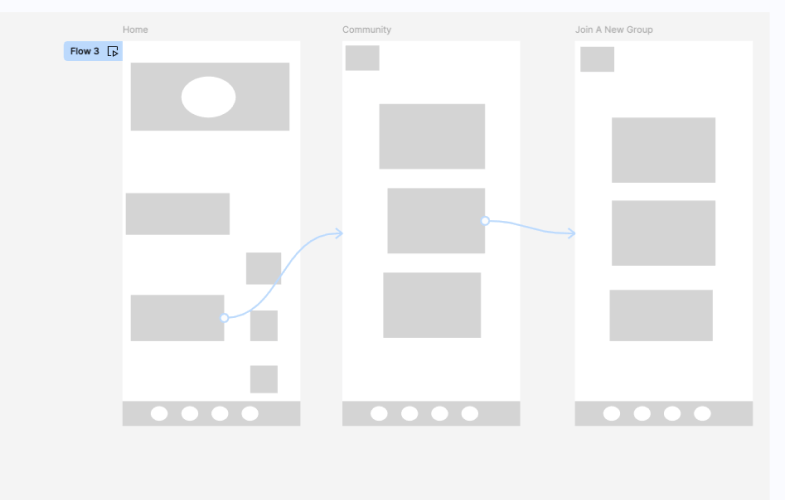
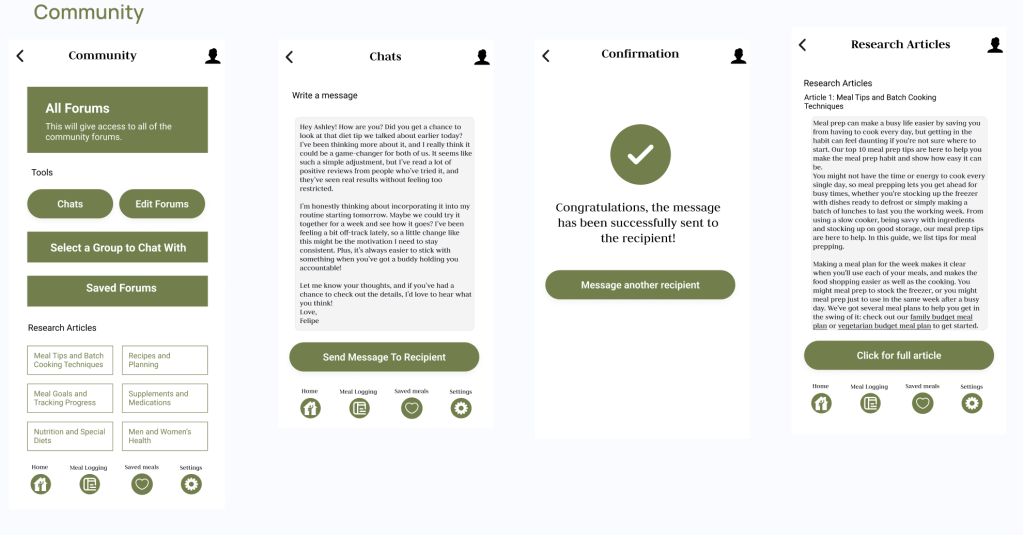
From the home page, users can click on the community option. After clicking there, users wil look for a community that accommodates their needs. After, users confirm which group they wish to join.
Usability Test Script Document
Onboarding- High-Fidelity Prototypes



 Felipe's Portfolio